

Budgeting Apps That Can Help You Manage Money Better Key Takeaways
If you feel like your paycheck vanishes before you even get a chance to save, you are not alone.
- We break down budgeting apps that can help you manage money better for everyone from students to families, including the best options for beginners.
- Learn how these tools help you track every dollar, control impulse spending, and create a realistic plan to tackle debt.
- Get answers to the most common safety and feature questions so you can choose an app with confidence.
What Makes Budgeting Apps That Can Help You Manage Money Better So Effective?
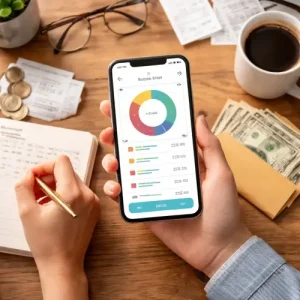
For many of us, the idea of budgeting feels restrictive or complicated. But modern apps flip that script. Instead of forcing you to manually log every coffee purchase in a notebook, these tools connect directly to your bank accounts, credit cards, and loan balances. They automatically categorize your spending, show you where your money actually goes, and alert you before you bounce a payment.
What makes budgeting apps that can help you manage money better stand out is their ability to personalize the experience. Whether you are trying to save for a house, pay off credit card debt, or simply stop living paycheck to paycheck, the right app adapts to your specific financial situation. Most importantly, they remove the guesswork. When you can see a clear picture of your income versus your expenses, making smarter money decisions becomes second nature. For a related guide, see 7 Simple Ways to Create a Monthly Budget.
Why Traditional Budgeting Fails Without Digital Help
Old-school envelope systems and spreadsheets require consistent discipline. Life gets busy, and one missed week of tracking can knock your entire budget off course. Apps keep you honest with real-time updates and gentle reminders, making it easier to stick to your goals without feeling like a chore.
How We Chose the Top 6 Budgeting Apps That Can Help You Manage Money Better
Not all budgeting tools are created equal. To compile this list, we looked at real user reviews, expert recommendations, and current feature sets. Every app on our list meets these criteria:
- Security first: Each app uses bank-level encryption and read-only data access.
- User-friendly design: Beginners should be able to set up an account in under 10 minutes.
- Practical features: We prioritized tools that help you track expenses, save money, and manage debt without requiring a finance degree.
- Real-world results: Apps with proven success stories from users who paid off debt or built emergency funds scored higher.
Let’s dive into the six standouts that truly deliver on their promises.
1. YNAB (You Need A Budget): The Gold Standard for Getting Out of Debt
YNAB is more than just a tracker; it is a complete financial philosophy. Designed to help you give every dollar a job, this app forces you to plan your spending before the month begins. It is especially powerful for people living paycheck to paycheck because it builds a buffer between you and your bills.
Features That Make YNAB One of the Best Budgeting Apps for Beginners
- Real-time syncing: Your transactions update automatically so you never miss a charge.
- Goal tracking: Whether you are saving for a vacation or paying off a student loan, the app shows your progress visually.
- Debt paydown tools: The app calculates exactly how much extra you can throw at your highest-interest debt.
Many users report paying off thousands of dollars in their first year. The downside is the monthly subscription fee, but the 34-day free trial lets you test-drive it before committing.
Who Should Use YNAB?
If you are serious about breaking the paycheck-to-paycheck cycle and want a structured approach that feels like a personal finance coach, YNAB is your app.
2. Mint: The Free All-in-One Tracker for Families
Mint has been a staple in personal finance for years, and for good reason. It is completely free to use and offers a comprehensive dashboard that tracks your spending, bills, credit score, and investments all in one place. This makes it one of the most popular budgeting apps that can help you manage money better without costing a dime. For a related guide, see 15 Smart Budgeting Hacks to Save More Every Month.
How Mint Helps You Track Expenses Automatically
How do budgeting apps help track expenses? Mint answers this question perfectly. Once you link your accounts, it categorizes every transaction — groceries, gas, streaming subscriptions — and shows you pie charts and trends over time. You can set custom budget limits for each category, and the app sends you alerts when you are approaching your limit.
For families managing multiple incomes and shared expenses, Mint simplifies the chaos. You can see exactly who spent what and where adjustments are needed.
Pro Tip for New Users
Set up bill reminders inside Mint to avoid late fees. The app can notify you a few days before a payment is due, which is a lifesaver for busy working parents.
3. PocketGuard: The Simplest App for Controlling Impulse Spending
PocketGuard is designed for people who want a “just tell me what I can spend” experience. It solves the problem of wondering whether you have enough money left after bills are paid. The app calculates your disposable income — what it calls “My Money” — based on your upcoming bills and savings goals.
How to Use a Budgeting App to Control Spending Effectively
If you have trouble with impulse purchases, PocketGuard is your ally. Every time you open the app, you see a clear number: this is what you can safely spend today. That simple shift in perspective helps many users cut unnecessary spending by 20% or more in their first month.
The free version covers the basics, while the paid version adds features like custom categories, unlimited budgets, and transaction insights.
Can Budgeting Apps Help Me Save Money? Absolutely, with PocketGuard
The app includes a “Goals” feature where you can set up a savings target for an emergency fund, vacation, or new laptop. It automatically factors your goal into the “My Money” calculation, making saving feel effortless.
4. EveryDollar: The Dave Ramsey Favorite for Beginners
Built by financial guru Dave Ramsey, EveryDollar follows a zero-based budgeting method similar to YNAB but with a simpler interface. Every dollar you earn is assigned to a category until you reach zero at the end of the month. It is one of the easiest best budgeting apps for beginners because it does not overwhelm you with complex charts.
What Features Should I Look for in a Budgeting App? EveryDollar Shows You
When evaluating any app, look for these features that EveryDollar nails:
- Quick setup: Enter your income and expenses manually or sync with your bank (paid version only).
- Custom categories: Create a category for “Takeout” or “Pet supplies” that matches your life.
- Debt snowball tool: Perfect for anyone following the Ramsey debt payoff plan.
The free version is manual-only, which some users find tedious. But for beginners who want a hands-on understanding of where their money goes, manual entry can be a valuable learning tool.
5. Goodbudget: The Envelope System Goes Digital
Goodbudget is ideal for people who hate connecting their bank accounts to apps. Based on the classic envelope method, you allocate money into digital envelopes for categories like rent, groceries, and entertainment. It works well for couples or families who want to share a budget without sharing a bank login.
Which Apps Help with Personal Finance Planning? Goodbudget Excels
This app shines for long-term planning. You can create multiple envelopes for irregular expenses like car repairs or holiday gifts. Over time, you see patterns in your spending that help you adjust your envelopes before you run out.
The free version gives you ten envelopes, while the paid version offers unlimited envelopes and shared accounts across devices.
6. Honeydue: Designed for Couples and Shared Households
Money arguments are one of the leading causes of stress in relationships. Honeydue aims to solve that by giving each partner visibility into shared finances without forcing full transparency on personal spending. You can choose what to share and what to keep private.
How Honeydue Organizes Monthly Bills for Families
How do budgeting apps organize monthly bills? Honeydue does it better than most. It pulls in your recurring bills, shows who is responsible for each one, and sends reminders before due dates. Couples can chat within the app about specific transactions, reducing the need for awkward conversations about money.
It is completely free to use, with no premium tier required for core features. For working parents juggling daycare, mortgage, and utility bills, Honeydue provides a single source of truth.
Comparison Table: Top Features of Budgeting Apps That Can Help You Manage Money Better
| App | Best For | Price | Key Feature |
|---|---|---|---|
| YNAB | Debt payoff and proactive planning | $14.99/month (free trial) | Give every dollar a job |
| Mint | Free all-in-one tracking | Free | Automatic categorization and credit monitoring |
| PocketGuard | Impulse spenders and simplicity seekers | Free / $7.99/month premium | Disposable income calculation |
| EveryDollar | Beginners and Ramsey fans | Free / $17.99/month premium | Zero-based budgeting with debt snowball |
| Goodbudget | Privacy-focused users and envelope fans | Free / $8/month premium | Digital envelope system |
| Honeydue | Couples and families | Free | Shared bill management and private spending |
Are Budgeting Apps Safe to Use? What You Need to Know
Security is a valid concern when you are linking your bank accounts. The good news is that all reputable apps use 256-bit encryption, the same standard used by banks. They also rely on read-only access, meaning the app can see your transactions but cannot move or withdraw your money.
To stay extra safe:
- Use a strong, unique password for your budgeting account.
- Enable two-factor authentication (2FA) if the app supports it.
- Review app permissions regularly and revoke access to any app you stop using.
- Avoid apps that ask for your bank login but do not use a trusted data aggregator like Plaid or Yodlee.
How to Choose the Right App for Your Financial Goals
With so many options, picking the right app comes down to your personal habits and goals. Ask yourself these questions:
- Do I prefer manual tracking (Goodbudget, EveryDollar free) or automatic syncing (Mint, YNAB)?
- Am I trying to pay off debt (YNAB, EveryDollar premium) or build savings (PocketGuard)?
- Do I need to share a budget with my partner (Honeydue) or keep it completely private?
Start with a free trial for one or two apps. Spend a week entering your expenses and see which interface feels natural. The best app is the one you actually use consistently.
Do Budgeting Apps Help with Debt Management? Real Results
Yes, they can be game-changers for debt reduction. Apps like YNAB and EveryDollar are built specifically to help you create a debt payoff plan. They show you how much extra you can pay each month and track your balance drop in real time. Many users report paying off $5,000 to $20,000 in debt within their first year simply because the app made them aware of wasteful spending.
Mint also helps by showing your total debt across all accounts on one screen, which can be a powerful motivator to start chipping away at high-interest balances.
Useful Resources
For deeper dives into specific methods mentioned in this guide, check out these trusted sources:
- NerdWallet’s in-depth comparison of budgeting apps — their team regularly updates security ratings and user reviews.
- Federal Trade Commission guide on paying bills on time — official tips to avoid late fees and protect your credit score.
Ready to take control of your finances? Pick the app that matches your style, download it today, and watch your confidence grow as your savings increase. Most offer a free trial or free version, so there is nothing to lose except the stress of wondering where your money went.
Frequently Asked Questions About Budgeting Apps That Can Help You Manage Money Better
What are the best budgeting apps for managing money?
The best ones include YNAB for debt payoff, Mint for free all-in-one tracking, PocketGuard for impulse spenders, EveryDollar for zero-based budgeting, Goodbudget for envelope fans, and Honeydue for couples.
How can budgeting apps help track expenses?
They connect to your bank and credit card accounts, automatically categorize every transaction into groceries, bills, dining, etc., and show you charts and trends so you can see exactly where your money goes.
Which budgeting app is best for beginners?
EveryDollar and Mint are the most beginner-friendly. They have simple interfaces, clear categories, and free versions that let you learn without pressure.
Are budgeting apps safe to use ?
Yes, when you choose a reputable app that uses 256-bit encryption and read-only bank access. Always enable two-factor authentication and avoid sharing passwords.
What features should I look for in a budgeting app ?
Look for automatic transaction syncing, customizable categories, bill reminders, savings goal tracking, debt payoff tools, and a clear dashboard that shows your net worth.
Can budgeting apps help me save money ?
Absolutely. They help you identify wasteful subscriptions, set savings goals, and automatically set aside money before you have a chance to spend it.
How do budgeting apps organize monthly bills?
Most apps scan your transactions for recurring charges, let you add manual bill reminders, and show an upcoming bills calendar so you never miss a due date.
Which apps help with personal finance planning ?
YNAB, Mint, and Goodbudget are excellent for planning. They help you forecast future spending, set long-term savings targets, and track progress toward financial milestones.
How can I use a budgeting app to control spending?
Set category spending limits inside the app. When you get close to the limit, the app sends a notification. Over time, this trains you to pause before making unnecessary purchases.
Do budgeting apps help with debt management ?
Yes. Apps like YNAB and EveryDollar include debt snowball or avalanche methods, show your total debt balance, and calculate how extra payments reduce interest over time.
Can I use a budgeting app for free?
Yes, Mint and Honeydue are completely free. EveryDollar and Goodbudget have free versions with limited features, while PocketGuard offers a free basic tier.
Do I need to link my bank account?
Not necessarily. Goodbudget and EveryDollar’s free version allow manual entry. However, linking your accounts automates tracking and gives you more accurate insights.
Which budgeting app is best for couples?
Honeydue is designed specifically for couples. It lets you share bills and track shared goals while keeping some personal spending private.
Are there budgeting apps for small business owners?
While most personal apps work for freelancers, Mint and YNAB allow you to separate business and personal transactions. For more advanced needs, consider QuickBooks or Wave.
How long does it take to see results from using a budgeting app?
Many users notice a decrease in impulse spending within the first month. Significant debt payoff or savings growth typically becomes visible within three to six months of consistent use.
Can budgeting apps help with irregular income?
Yes. YNAB and EveryDollar are excellent for irregular income because they focus on what you earned in the current month rather than projecting future earnings.
What if I miss a transaction in my budgeting app?
Most apps with bank syncing will automatically import missing transactions within a few days. You can also manually add any you catch.
Which app is best for tracking subscriptions?
Mint and PocketGuard excel at surfacing recurring subscriptions. They can help you spot forgotten memberships you might want to cancel.
Are these apps available on both iPhone and Android?
Yes, all six apps listed — YNAB, Mint, PocketGuard, EveryDollar, Goodbudget, and Honeydue — have apps available on both iOS and Android platforms.
Can I export my data from a budgeting app?
Most apps allow you to export your transaction history as a CSV file, which you can open in Excel or Google Sheets for additional analysis.