
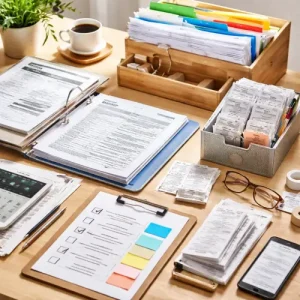

Smart Ways to Organize Your Tax Documents Key Takeaways
Organizing tax documents may feel like a chore, but it saves you time, reduces stress, and helps you avoid costly filing mistakes.
- Smart ways to organize your tax documents include using digital folders, creating a receipt sorting system, and setting up a tax document checklist for filing day.
- Knowing what tax documents you should keep every year prevents clutter and helps you store tax records safely for the required timeframes.
- Using the right tools to manage tax records and organizing early can help freelancers, gig workers, and homeowners avoid filing mistakes and maximize deductions.
What You Need to Know About Smart Ways to Organize Your Tax Documents
Tax season can feel overwhelming, especially when you are digging through piles of receipts, bank statements, and W-2s at the last minute. But the truth is, organizing your tax paperwork does not have to be a nightmare. By adopting Smart Ways to Organize Your Tax Documents, you can turn a chaotic process into a smooth, manageable routine that works for employees, freelancers, self-employed workers, small business owners, and everyone in between.
In this guide, we will walk through eight practical, proven strategies to help you organize tax documents before filing, choose the right folders for tax documents, and build a reliable tax document checklist that keeps you on track. Along the way, we will answer common questions about how to store tax records safely, how long to keep records, and how to sort receipts for taxes efficiently. For a related guide, see 10 Quick Tax Tips for Beginners.
1. Create a Centralized Digital Filing System
Paper piles are easy to misplace and hard to search. A simple digital filing system is one of the most powerful Smart Ways to Organize Your Tax Documents. You can set up a folder on your computer, cloud drive, or a dedicated accounting app.
Best Folders for Tax Documents
Create these main folders inside a master folder named “Tax Year [Year]”:
- Income – W-2s, 1099s, invoices, payment receipts
- Expenses – receipts for business costs, supplies, travel, utilities
- Deductions – charitable donations, medical expenses, education costs
- Tax Payments – estimated tax payments, prior-year refunds
- Correspondence – IRS letters, accountant notes, e-filing confirmations
How to Store Tax Records Safely
Cloud storage services like Google Drive, Dropbox, or OneDrive offer encryption and easy access. For an extra layer of security, use a password-protected folder or a dedicated encrypted app. Always keep a backup on an external drive or a second cloud service.
2. Sort Receipts for Taxes as You Go
Waiting until tax season to organize receipts is a recipe for errors and missed deductions. Smart Ways to Organize Your Tax Documents include sorting receipts throughout the year by category.
How to Sort Receipts for Taxes Efficiently
Use a simple method:
- Keep a small envelope in your bag or car labeled “Receipts” for immediate capture.
- Set a weekly reminder to snap photos of paper receipts and upload them to the correct digital folder.
- Use an app like Expensify, Receipt Bank, or even a Google Sheet to log the amount, date, category, and purpose.
By sorting as you go, you reduce clutter and make it easy to organize tax documents before filing — no frantic searching needed.
3. Use a Tax Document Checklist Every Year
A tax document checklist is your roadmap. It ensures you have everything you need and nothing is forgotten. Whether you are a student, retiree, or gig worker, a checklist keeps you grounded.
What Tax Documents You Should Keep Every Year
Here is a general checklist for most taxpayers:
- W-2 forms (from employers)
- 1099 forms (freelance, contract, interest, dividends)
- Bank and investment account statements
- Receipts for deductible expenses (medical, charity, business)
- Mortgage interest statements (Form 1098)
- Student loan interest statements
- Property tax records
- Health insurance documentation
- Estimated tax payment receipts
Customize your checklist based on your situation. Homeowners, for example, need to keep home improvement receipts and closing documents.
4. Adopt a Consistent Naming Convention
A jumble of files named “receipt1.jpg” or “taxstuff.pdf” defeats the purpose of digital organization. One of the overlooked Smart Ways to Organize Your Tax Documents is establishing a naming standard.
Try this format: YYYY-MM-DD_Category_Description. For example: 2025-04-15_Expense_OfficeSupplies_Staples.pdf. This way, files sort by date and category automatically, making it easy to find anything quickly.
This method also helps you organize tax documents before filing because you can quickly generate a list of expenses by category.
5. Keep Digital Copies of Tax Documents
Should you keep digital copies of tax documents? Absolutely. The IRS accepts digital records as long as they are clear and legible. Digital copies are easier to store, back up, and retrieve.
How to Store Tax Records Safely with Backups
Follow this three-step backup strategy:
- Primary: A cloud service (Google Drive, iCloud, or a secure tax software like TurboTax or TaxSlayer)
- Secondary: An external hard drive or dedicated USB drive stored in a secure location
- Tertiary: A printed hard copy of critical documents for your file cabinet
This layered approach ensures you never lose important records, even if your computer crashes or your cloud account is compromised.
6. Organize Tax Documents Early — Don’t Wait
Why is it important to organize tax documents early? Because last-minute filing leads to mistakes. When you organize tax documents early, you have time to double-check numbers, find missing forms, and consult a professional if needed.
Start in January by downloading prior-year forms from your bank and employer. Set up your digital folders and checklist for the new tax year. This proactive habit is one of the best Smart Ways to Organize Your Tax Documents for anyone who wants to avoid filing mistakes.
7. Use Tools to Manage Tax Records
You do not have to do it all manually. There are many tools to manage tax records that automate sorting, tracking, and storing. Here are a few popular ones:
- QuickBooks Self-Employed – Great for freelancers and independent contractors. It tracks income and expenses year-round.
- Expensify – Reads receipts using OCR and categorizes them automatically.
- H and R Block Tax Preparation App – Offers a document upload feature and guided filing.
- Google Sheets or Excel – Still one of the most flexible ways to create your own tracker.
Using these tools can help you organize tax documents before filing with minimal effort. Many also integrate with your bank to pull transactions directly.
8. Tailor Your System for Your Situation
The best Smart Ways to Organize Your Tax Documents depend on who you are. Different audiences have unique needs.
How Can Freelancers Organize Tax Paperwork?
Freelancers need to separate business from personal expenses. Create a dedicated business bank account and credit card. Save all invoices and receipts for equipment, software, internet, and travel. Use a mileage tracker app like MileIQ or Stride for business miles.
For Small Business Owners
Set up a separate folders for tax documents system for each employee (if any) and each business expense category. Keep payroll records and sales tax filings separate from personal tax records.
For First-Time Taxpayers, Students, and Retirees
If you are new to filing, use a simple checklist and a single envelope or folder for all tax-related papers. Adjust your system as your financial life grows. Retirees should keep records of pension income, Social Security statements, and medical expense receipts. For a related guide, see 10 Tax Tips Every Freelancer Should Know Before Filing.
Useful Resources
For more detailed guidance on recordkeeping requirements, visit the IRS Recordkeeping page.
Learn about document retention best practices from the AICPA Record Retention Guide.
Get Your Tax Documents Organized for Good
These Smart Ways to Organize Your Tax Documents are not just about surviving tax season — they are about building a system that saves you time, money, and stress every single year. By implementing even a few of these strategies — whether it is creating folders for tax documents, using a tax document checklist, or learning how to store tax records safely — you will be set up for success.
Start today. Pick one tip from this list and put it into action. Your future self — and your accountant — will thank you.
Frequently Asked Questions About Smart Ways to Organize Your Tax Documents
What is the best way to organize tax documents before filing ?
The best way is to create a digital filing system with folders for income, expenses, deductions, and correspondence. Use a consistent naming convention, sort receipts as you go, and follow a tax document checklist to ensure nothing is missed.
What tax documents should you keep every year?
You should keep W-2s, 1099s, bank statements, investment records, receipts for deductible expenses, mortgage interest statements, property tax records, and health insurance documentation every year.
How can you store tax records safely ?
Store tax records safely by using encrypted cloud services, password-protected folders, and external hard drives. Keep physical copies in a fireproof safe if you prefer paper.
Why is it important to organize tax documents early ?
Organizing early reduces stress, prevents filing mistakes, and gives you time to find missing forms or consult a tax professional. It also helps you spot potential deductions you might otherwise overlook.
What is the best way to sort receipts for taxes ?
Sort receipts by category (e.g., office supplies, travel, meals) and by date. Use a receipt scanning app to digitize them immediately, then file them in your digital folder structure.
Should you keep digital copies of tax documents ?
Yes, digital copies are accepted by the IRS as long as they are clear. They are easier to organize, back up, and access than paper documents.
How long should you keep tax records?
The IRS generally recommends keeping tax records for three years from the date you filed. However, if you underreported income by 25% or more, keep them for six years. Some documents, like property records, should be kept for as long as you own the asset.
How can freelancers organize tax paperwork ?
Freelancers should separate business and personal finances, use a dedicated bank account, track all expenses with a mileage and receipt app, and keep all 1099 forms and invoices organized in a digital folder.
What folders should you create for tax documents?
Create folders for Income, Expenses, Deductions, Tax Payments, and Correspondence. Customize subfolders by year and category for even better organization.
How can organized tax documents help avoid filing mistakes?
Organized documents allow you to double-check numbers, compare income statements, and ensure you claim all eligible deductions. This reduces errors like incorrect income reporting or missed credits.
What tools can help manage tax records?
Tools like QuickBooks Self-Employed, Expensify, FreshBooks, H and R Block, and even Google Sheets can help you track and manage tax records efficiently.
How do you prepare a tax document checklist ?
Start with a list of common forms (W-2, 1099, bank statements), then add personal categories like home office expenses, charitable donations, and medical bills. Update the checklist each year based on your financial situation.
Can I organize tax documents on my smartphone?
Absolutely. Use apps like TurboTax, Expensify, or Google Drive to scan, categorize, and store documents directly from your phone.
What is the most common mistake when organizing tax documents?
The most common mistake is waiting until the last minute. That leads to lost receipts, missing forms, and errors from rushing.
Do I need to keep receipts for small purchases?
Yes, if they are business expenses or eligible deductions. Even small purchases add up, so it is wise to keep receipts for anything under $75 if you plan to deduct it.
How should independent contractors organize tax paperwork?
Independent contractors should track all income from each client, save invoices and payment receipts, and categorize expenses like equipment, marketing, and professional services.
What is the best way to organize shared tax documents for a married couple?
Create a joint digital folder with subfolders for each spouse’s income and deductions. Keep a shared checklist and agree on a filing method (jointly or separately) early.
How do I organize tax documents for a side hustle?
Separate side hustle finances from your main job. Keep all 1099-NEC forms, expense receipts, and mileage logs in a dedicated folder named after your side business.
Can I use color-coded folders for tax documents ?
Yes, color-coded folders work well for paper filing. For example, use red for expenses, blue for income, and green for deductions. Just ensure you have a digital backup too.
What should I do with tax documents from previous years?
After seven years, you can safely shred most tax documents except for those related to property sales or capital assets. For digital records, archive them in a secure external drive or cloud folder.