

Common Online Banking Scams to Avoid Key Takeaways
Online banking has made managing money faster and more convenient, but it has also opened the door to fraudsters who use phishing, smishing, and fake websites to steal your credentials and money.
- Phishing emails and fake banking websites are the top tactics scammers use to steal login details. Learn to verify URLs and never click on unsolicited links.
- Smishing (SMS phishing) and OTP theft are rising threats, especially among mobile banking users. Always keep one-time passwords confidential.
- Enabling two-factor authentication and monitoring your account regularly are two of the most effective safe practices for online banking .
How Do Phishing Scams Work in Online Banking?
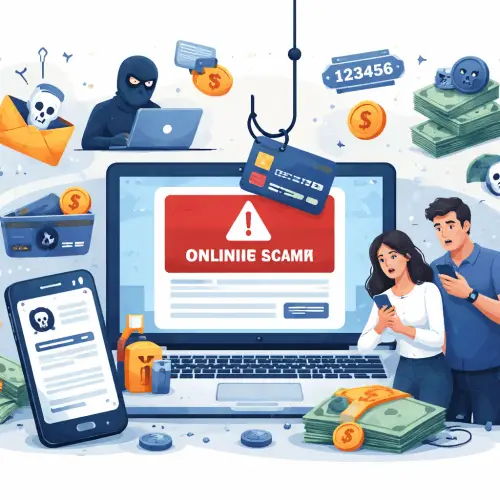
Phishing remains the most dangerous of all common online banking scams to avoid. In a typical phishing attack, you receive an email that looks like it came from your bank. It often includes the bank’s logo, a convincing subject line, and a call to action like “Verify your account now” or “Your account has been suspended.” The email contains a link that leads to a fake login page. Once you enter your username and password, the scammer captures them and uses them to access your real account.
How to Spot a Phishing Email
- Generic greetings: “Dear Customer” instead of your real name.
- Urgent or threatening language: “Immediate action required or your account will be closed.”
- Mismatched email address: The sender’s domain may be @bank-secure.com instead of the real bank domain.
- Suspicious links: Hover over the link before clicking; if the URL looks unrelated or misspelled, do not click.
Pro tip: If you receive a suspicious banking message claiming to be from your bank, do not click any link. Instead, open a new browser tab and type your bank’s official website address manually, or call the bank’s published customer service number.
Signs of Fake Banking Websites
Fraudsters build fake banking websites that look almost identical to legitimate portals. These sites are used in phishing campaigns to harvest login credentials. Recognizing the telltale signs of fake banking websites can save you from losing your money.
Key Red Flags
- Incorrect URL: A misspelled domain like bankofamerica-secure.com instead of the real domain.
- No HTTPS padlock: The site should have “https://” at the start and a padlock icon in the address bar. Legitimate banking sites always use encryption.
- Poor design or broken images: Scammers often use low-quality graphics or missing logos.
- Unusual login prompts: If the page asks for more information than usual (like your PIN or full date of birth), it’s likely a fake.
Always verify a banking website by bookmarking the official URL after your first successful login. Never type your bank’s name into a search engine and click the first ad link—those are often paid ads that lead to phishing pages.
SMS Phishing (Smishing) Scams in Banking
Scammers send text messages pretending to be your bank, warning you about “suspicious activity” or “account verification needed.” This is called smishing. The message typically contains a link that leads to a fraudulent website. SMS phishing smishing banking scams are particularly effective because people trust text messages more than emails.
How to Stay Safe from Smishing
- Do not click on any link in an unsolicited SMS, even if it looks urgent.
- Forward the suspicious message to your bank’s fraud reporting number (if available).
- Delete the message and block the sender.
- If you think the message might be real, call your bank using the number on the back of your ATM card, not the number in the text.
How Scammers Steal OTP Codes
One-time passwords (OTPs) are meant to add a second layer of security, but scammers steal OTP codes through clever social engineering. They may call you pretending to be a bank representative and say they need the OTP to “verify your identity” or “cancel a fraudulent transaction.” Once you share the code, they use it to complete a transaction or reset your password.
Common OTP Theft Tactics
| Tactic | How It Works | How to Avoid |
|---|---|---|
| Phone call impersonation | Scammer calls, claims to be from your bank’s fraud department, and asks for your OTP. | Hang up and call your bank’s official number. No legitimate bank asks for your OTP over the phone. |
| Fake SMS alert | You receive a text with a fake OTP request, followed by a phone call asking you to confirm the code. | Never share an OTP with anyone, even if they sound official. |
| Malicious app | A fake banking app intercepts your SMS messages and forwards OTPs to the scammer. | Only download banking apps from your phone’s official app store. |
Fake Customer Support Scams
Scammers pose as customer support agents from your bank and contact you via phone, email, or social media. They claim your account has a problem and ask you to verify your details. These fake customer support scams are designed to trick you into giving up your full account number, password, or OTP.
Red Flags in Customer Support Scams
- Unsolicited contact — your bank will rarely call you out of the blue to ask for sensitive information.
- Requests for your full PIN or password — a real bank employee will never need these.
- High-pressure tactics — the scammer says you must act immediately or your account will be blocked.
If you receive an unexpected call, tell the caller you will call them back. Use the number on the back of your card or the bank’s official website.
Identity Theft Scams and How They Affect Bank Accounts
Identity theft occurs when a scammer uses your personal information to open new accounts, take over existing ones, or apply for loans in your name. Identity theft scams bank accounts by exploiting stolen data like your Social Security number, date of birth, and address.
Steps to Protect Your Identity
- Use strong, unique passwords for each online account.
- Enable two-factor authentication on your bank account and email.
- Shred documents containing personal information before discarding them.
- Monitor your credit report regularly for unfamiliar accounts.
If you believe your identity has been stolen, contact your bank immediately, place a fraud alert on your credit file, and report the incident to your local cybercrime unit.
Why Two-Factor Authentication Is Important for Banking Security
Two-factor authentication banking security adds an extra layer of protection beyond your password. Even if a scammer obtains your username and password through a phishing attack, they cannot log in without the second factor—typically an OTP sent to your phone or an authentication app.
How to Enable Two-Factor Authentication for Your Bank Account
- Log in to your online banking portal.
- Go to the Security or Settings section.
- Follow the prompts to enable two-factor authentication (2FA).
- Choose a method: SMS, authenticator app (Google Authenticator, Authy), or hardware token.
- Confirm your setup by entering the verification code.
Important: If your bank offers 2FA via an authenticator app instead of SMS, choose that option—it is more secure against SIM-swap attacks.
How Hackers Target Mobile Banking Users
Mobile banking apps are a prime target because users often handle sensitive transactions on the go over public Wi-Fi networks. Hackers target mobile banking users using four main methods.
- Public Wi-Fi interception: Hackers set up unsecured Wi-Fi hotspots in cafes or airports to intercept data. Always use mobile data or a trusted VPN when banking on your phone.
- Malicious apps: Scammers create fake banking apps that, once installed, steal your login credentials. Download apps only from official app stores and verify the developer.
- SIM-swapping: A hacker convinces your mobile carrier to transfer your phone number to a new SIM card they control, allowing them to receive your OTPs. Contact your carrier to add a security PIN to your account.
- Screen-sharing scams: A scammer instructs you to install a remote-access app and then asks you to log into your banking app while they watch. Never grant screen-sharing access to anyone you do not know and trust.
Safe Practices for Online Banking
Adopting consistent safe practices for online banking reduces your risk of falling victim to fraud. Follow this checklist every time you transact online.
- Always use a strong, unique password for your bank account. Consider a password manager.
- Enable two-factor authentication.
- Never access your bank account on public or shared computers.
- Update your banking app and mobile operating system regularly.
- Configure account alerts for every transaction: receive an SMS or email notification for withdrawals, transfers, and deposits.
- Log out after each session, especially if you use a shared device.
A Quick Weekly Routine to Protect Your Account
- Open your banking app and review your recent transactions.
- Check for any unfamiliar charges or low-amount “test” transactions.
- If you see something suspicious, report it to your bank immediately.
- Change your password every 60 to 90 days.
How to Verify If a Banking Website Is Real
Before entering your login credentials, always verify banking website real status. Use this three-step verification method:
- Check the URL carefully. Look for the exact domain name you expect. For example, www.bankname.com is correct; www.bankname-login.com is suspicious.
- Look for the padlock. The browser should show a padlock icon in the address bar. Click the padlock to see the certificate details; it should be issued to the legitimate banking institution.
- Search for the official site. Go to a search engine and type your bank’s name. The official website will appear first, but avoid clicking paid ads. Instead, look for the organic result with the bank’s verified information.
Beginner’s Guide: How to Avoid Online Banking Scams Completely
If you are new to digital banking, you might feel overwhelmed by all the warnings. Here is a simple step-by-step approach to help beginners avoid online banking scams.
Step 1: Know Your Bank’s Official Contact Channels
Save your bank’s official phone number, email address, and website in your contacts. That way, whenever you need to contact them, you will use the real number, not one provided by a suspicious source.
Step 2: Never Share Sensitive Information Online or Over the Phone
Your bank will never ask for your password, PIN, or OTP via email, SMS, or phone. Treat such requests as fraud.
Step 3: Learn to Recognize Urgency Traps
Scammers create a false sense of urgency to make you panic. If a message says “Act now or lose access,” pause and verify through official channels.
Step 4: Install a Trusted Security App
Use a reputable mobile security app that can detect malicious links and block spam calls. Many banks also offer their own security tools.
Step 5: Regularly Check Your Account Activity
Checking your bank statement once a week is a habit that can catch fraud early. Set a recurring reminder on your phone.
Useful Resources
For further reading and official guidance on common online banking scams to avoid, visit these trusted sources:
- FTC: How to Recognize and Avoid Phishing Scams — This official guide explains phishing, smishing, and vishing, with tips for reporting scams.
- American Bankers Association: Security and Fraud Prevention — The ABA provides banking security best practices and current fraud alerts.
Frequently Asked Questions About Common Online Banking Scams to Avoid
What are the 10 common online banking scams to avoid completely?
The ten most common scams are: phishing emails, fake banking websites, smishing (SMS phishing), OTP theft, fake customer support scams, identity theft scams, account takeover attempts, fake mobile banking apps, SIM-swapping, and social engineering calls. Each scam uses different tactics to trick you into sharing sensitive information.
How do phishing scams work in online banking ?
Phishing scams work by sending fraudulent emails that appear to come from your bank. The email contains a link to a fake login page. Once you enter your username and password, the scammer captures them and can access your real account. Always hover over links to check the URL before clicking. For a related guide, see 14 Questions to Ask Before Opening a Bank Account Today.
What are signs of fake banking websites ?
Signs of fake banking websites include an incorrect or misspelled URL, missing HTTPS padlock, poor design or broken images, and unusual login prompts asking for extra personal information. Always bookmark your bank’s official website to avoid landing on a fake.
How can I protect my bank account from online fraud?
Protect your bank account by using strong, unique passwords, enabling two-factor authentication, never sharing OTPs, avoiding public Wi-Fi for banking, and monitoring your account weekly for suspicious activity. Also, keep your banking app and device updated. For a related guide, see 12 Online Banking Safety Tips to Protect Your Money SEO.
What is SMS phishing or smishing in banking scams?
Smishing is a type of phishing attack carried out via SMS (text message). You receive a text that appears to be from your bank, warning you about suspicious activity or asking you to verify your account. The text contains a link to a fake website designed to steal your login details.
How do scammers steal OTP codes ?
Scammers steal OTP codes by calling you and pretending to be from your bank’s fraud department, or by using fake SMS alerts that prompt you to share the code. They may also use malicious apps that intercept your SMS messages. Never share your OTP with anyone, even if they sound official.
What should I do if I receive a suspicious banking message ?
If you receive a suspicious banking message, do not click any links or reply to the message. Take a screenshot (if safe), forward the message to your bank’s fraud reporting number, then delete it. Contact your bank using the official number on their website or app to verify if the message is genuine.
How can fake customer support scams trick users?
Fake customer support scams involve fraudsters posing as bank representatives who call, email, or message you with a fabricated problem. They pressure you into revealing your account number, password, or OTP. Remember that legitimate banks never ask for sensitive information through unsolicited calls or messages.
Why is two-factor authentication important for banking security?
Two-factor authentication (2FA) provides an extra security layer beyond your password. Even if a scammer gets your password, they cannot access your account without the second factor (usually a code sent to your phone or generated by an authenticator app). This makes 2FA one of the most effective tools for preventing unauthorized access.
How do identity theft scams affect bank accounts?
In an identity theft scam, fraudsters use your personal information to open new accounts, take over existing ones, or apply for loans in your name. This can drain your bank account, damage your credit score, and take months to resolve. Protect yourself by monitoring your credit report and using strong authentication.
What are the most common online banking fraud tactics ?
The most common tactics include phishing, smishing, fake websites, OTP theft, fake customer support calls, SIM-swapping, malicious banking apps, and social engineering. All of these rely on tricking you into revealing information or granting access to your account.
How can I verify if a banking website is real?
To verify a banking website: check the URL for the correct domain name, look for the HTTPS padlock in the address bar, and avoid clicking on links from emails or ads. Instead, type the bank’s official website address manually into your browser, or use your bank’s official app.
What are safe practices for online banking ?
Safe online banking practices include using strong passwords, enabling two-factor authentication, never logging in on public Wi-Fi, updating your app and device regularly, and checking your account transactions at least weekly. Also, always log out after each session.
How do hackers target mobile banking users ?
Hackers target mobile banking users through public Wi-Fi interception, malicious fake banking apps, SIM-swapping, and screen-sharing scams. To stay safe, use mobile data or a VPN for banking, download apps only from official stores, and never share your screen with strangers.
How can beginners avoid online banking scams completely?
Beginners can avoid scams by following five steps: save your bank’s official contact numbers, never share your password or OTP, recognize urgency traps, install a trusted security app, and check your account activity regularly. Start with these habits and you will be well protected.
What should I do if I accidentally clicked a phishing link?
If you clicked a phishing link, do not enter any information. Close the browser, run a security scan on your device, and immediately change your banking password from a different device. Contact your bank to alert them of possible compromise and monitor your account for suspicious activity.
Are mobile banking apps safer than a web browser?
Banking apps are generally safer than using a web browser because they use additional encryption and are designed to detect malicious software on your device. However, you must download the app only from official app stores and keep it updated.
Can criminals use my bank account number alone to steal money?
In most cases, scammers need your account number plus other details (like your password, OTP, or CVV) to steal money. Still, protect your account number as sensitive information. Do not share it publicly or on unverified forms.
How often should I check my bank account for fraud?
Check your bank account at least once a week. Enable transaction alerts so you receive a notification for every withdrawal, transfer, or purchase. Early detection gives you the best chance to reverse fraudulent transactions.
What is a SIM-swap scam and how does it relate to banking fraud?
A SIM-swap scam occurs when a fraudster convinces your mobile carrier to transfer your phone number to a SIM card they control. They then receive your OTPs, allowing them to bypass two-factor authentication and access your bank accounts. Add a security PIN to your mobile account to prevent this.